Troubleshooting
Collect and correlate the evidence required to diagnose repeatable network issues.
Smart GNOC is built around the operational ticket. It captures evidence, performs network checks, creates governed work, executes approved actions, correlates repeat incidents and preserves the complete history from detection to closure.
The screenshots below follow the demonstrated workflow in sequence. The first scenario shows an inaccessible application/website. The second shows high-bandwidth utilisation, correlation, classification and containment.
Instead of starting with a thin incident record, Smart GNOC enriches the ticket with diagnostic context and builds the network evidence required to understand the failure.
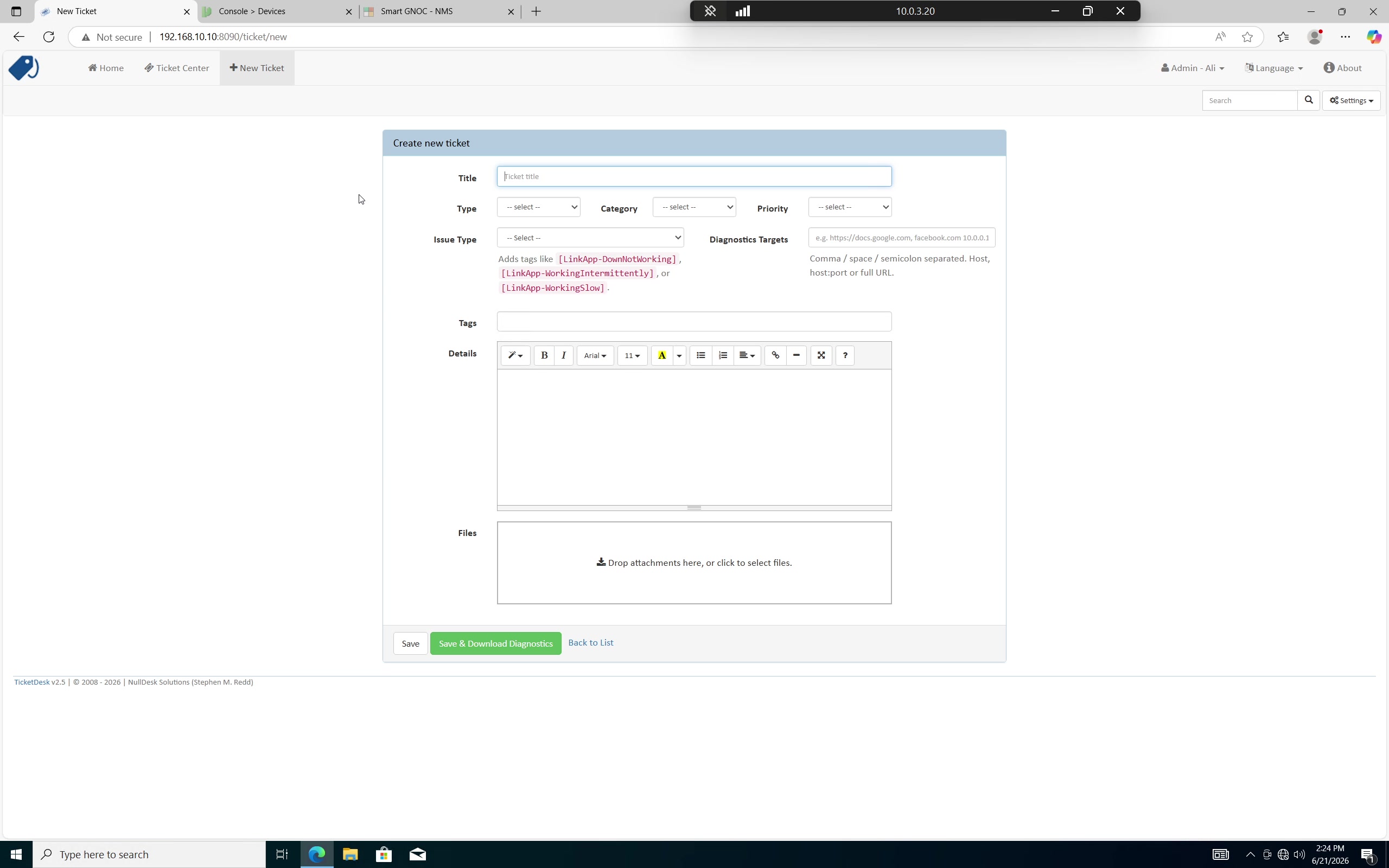
The user raises the incident. This creates the operational record that Smart GNOC will enrich and manage throughout the investigation.
Ticket is the primary operational context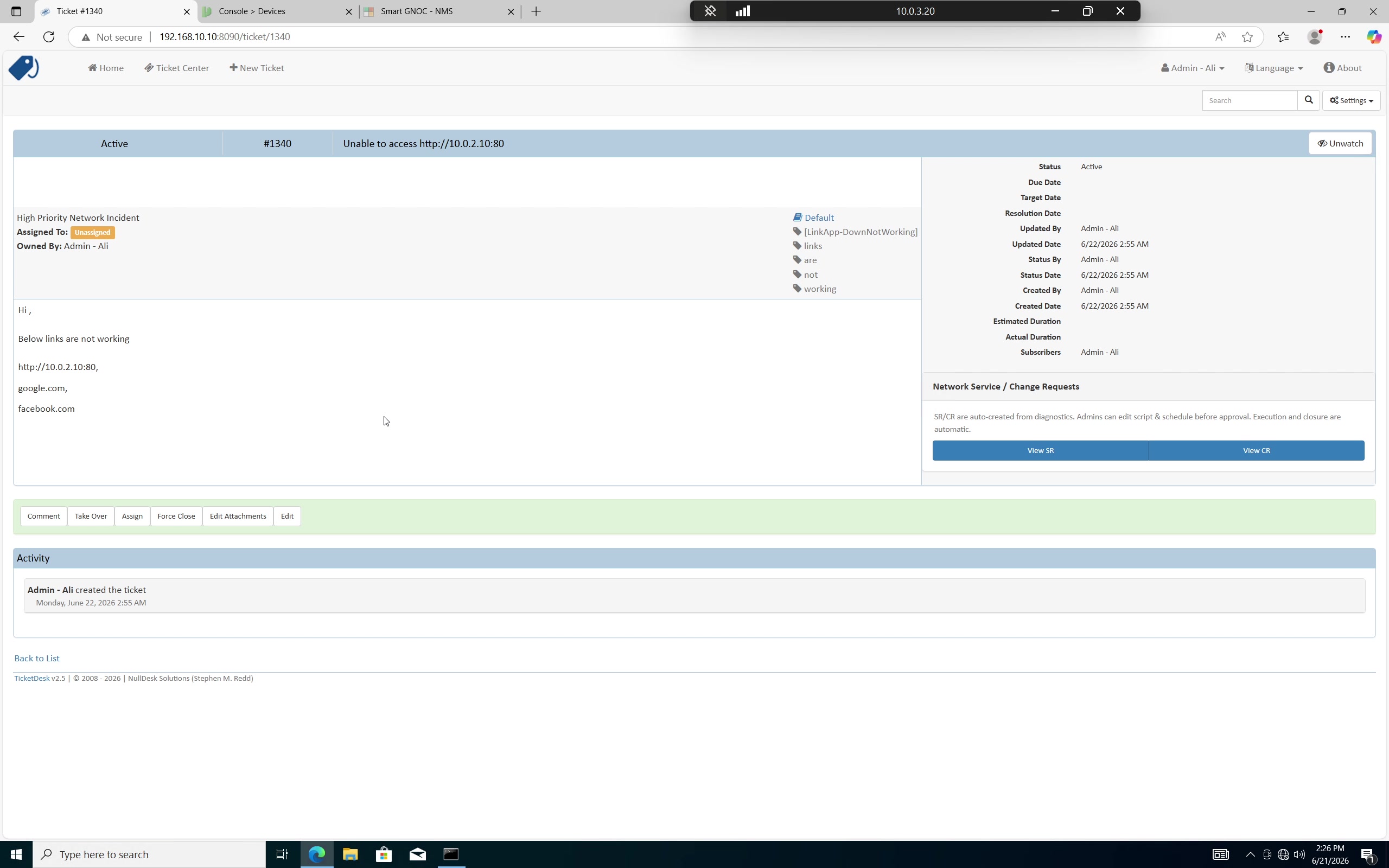
The incident becomes the central place for diagnosis, evidence, changes, commands, communication and eventual closure.
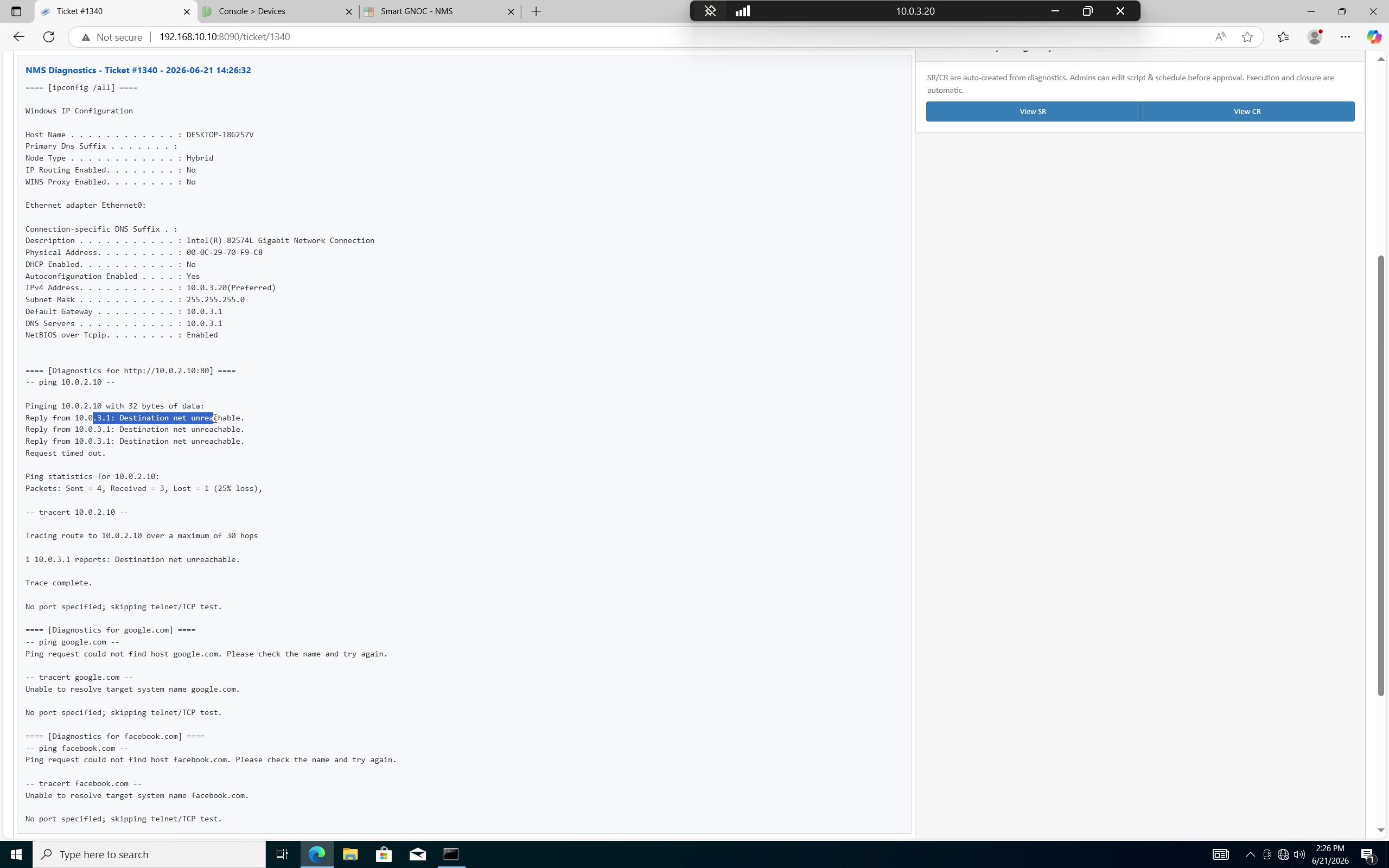
Smart GNOC enriches the incident with available end-user machine and connectivity information so the investigation begins with evidence instead of repeated manual questions.
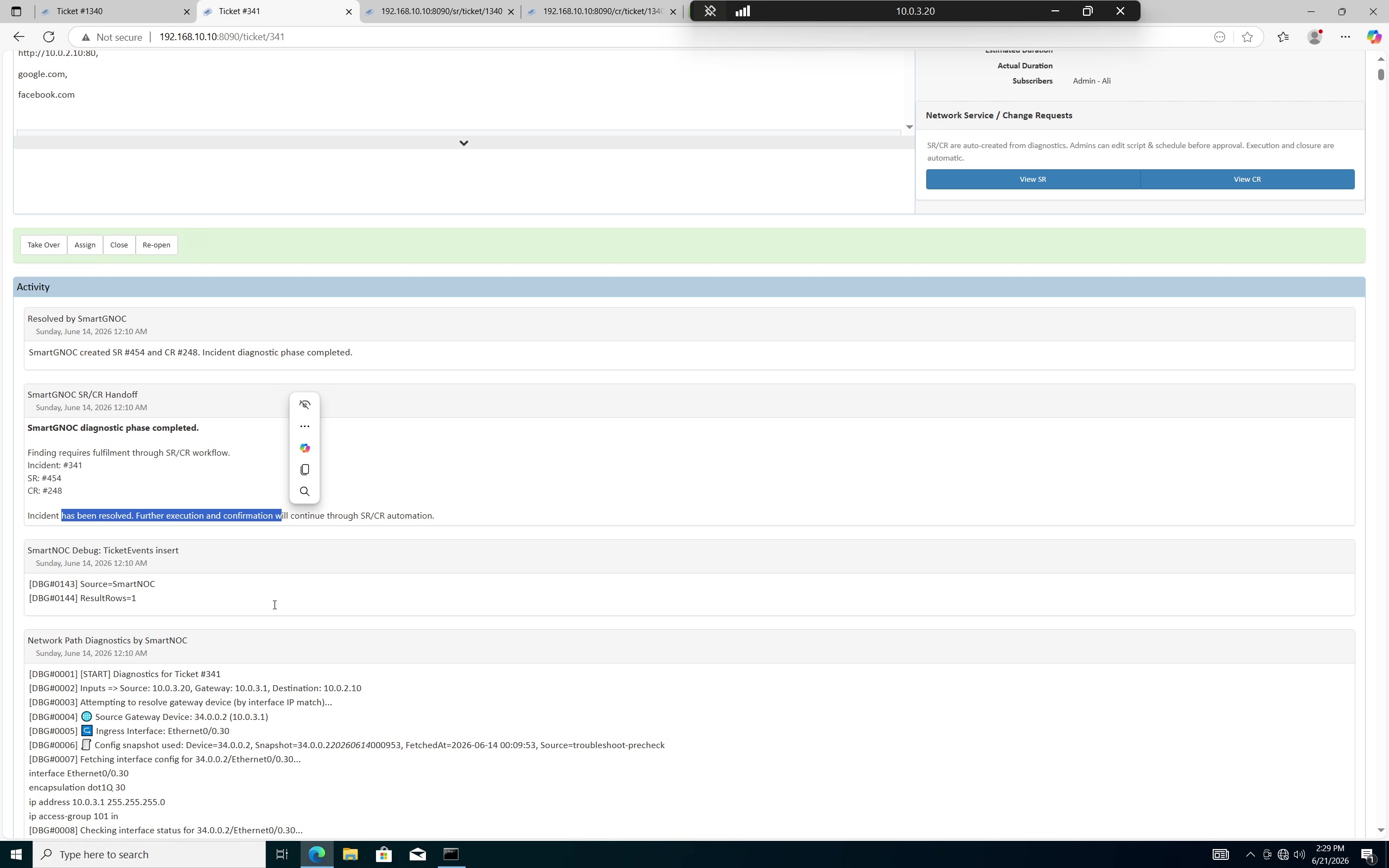
Routing and access-control checks become part of the incident record. The engineer can see what was checked and what Smart GNOC found without rebuilding the investigation from scratch.
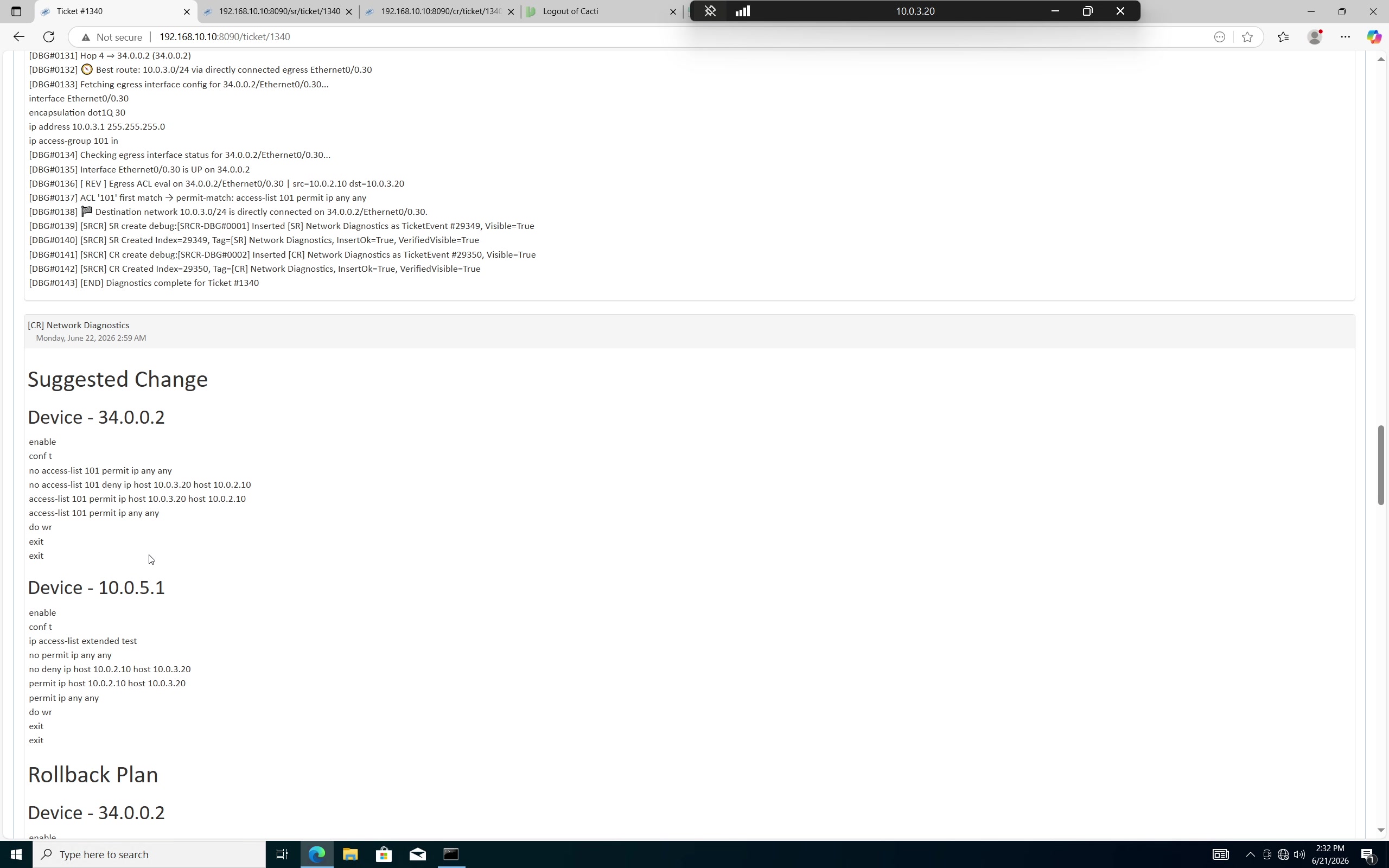
Smart GNOC does not stop at “issue found.” It records the suggested remediation and the reason the network change is required.
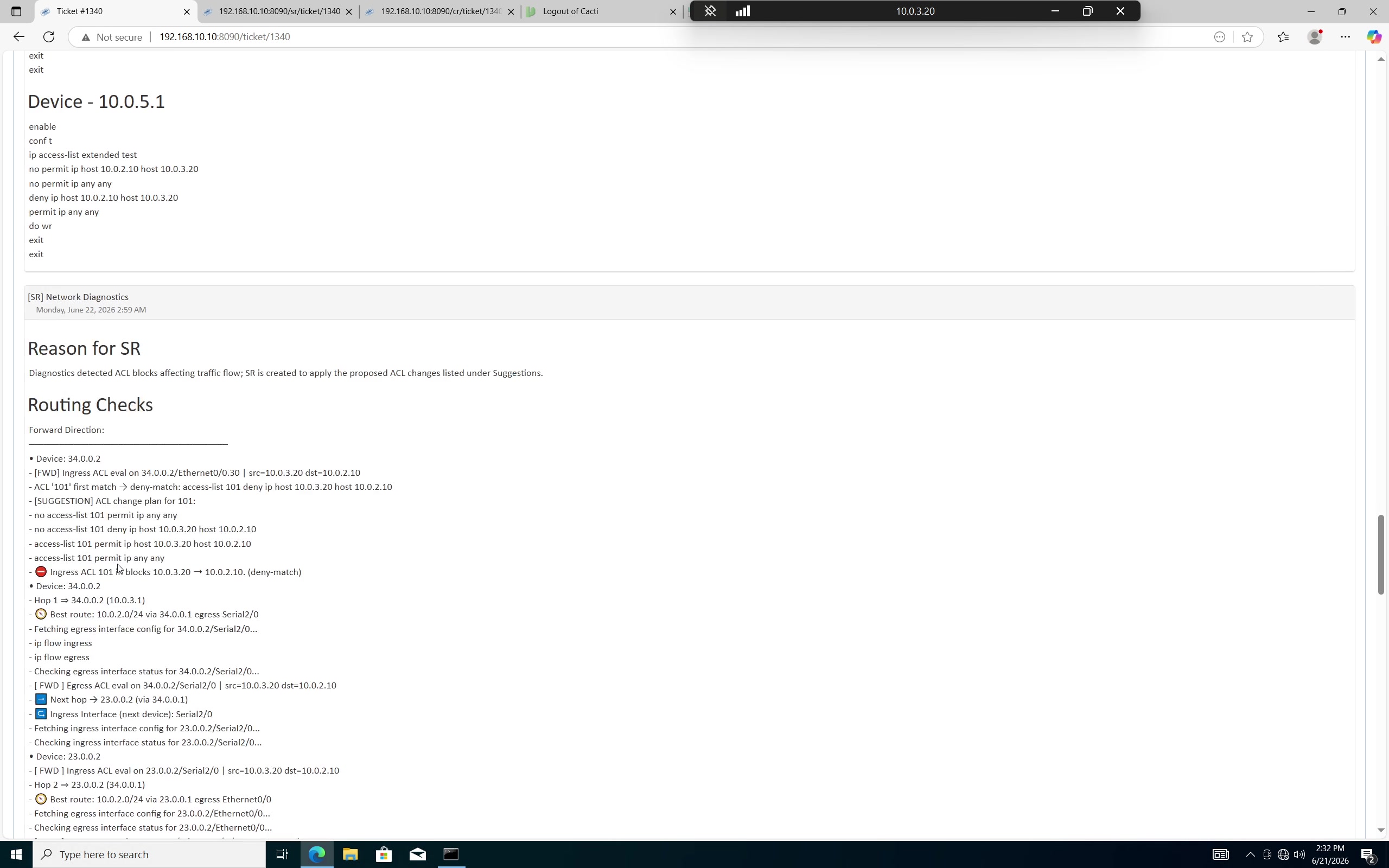
The workflow records the evidence and reason before creating governed work, including available end-to-end forward and reverse routing and ACL checks throughout the path.
Diagnosis first · governed change second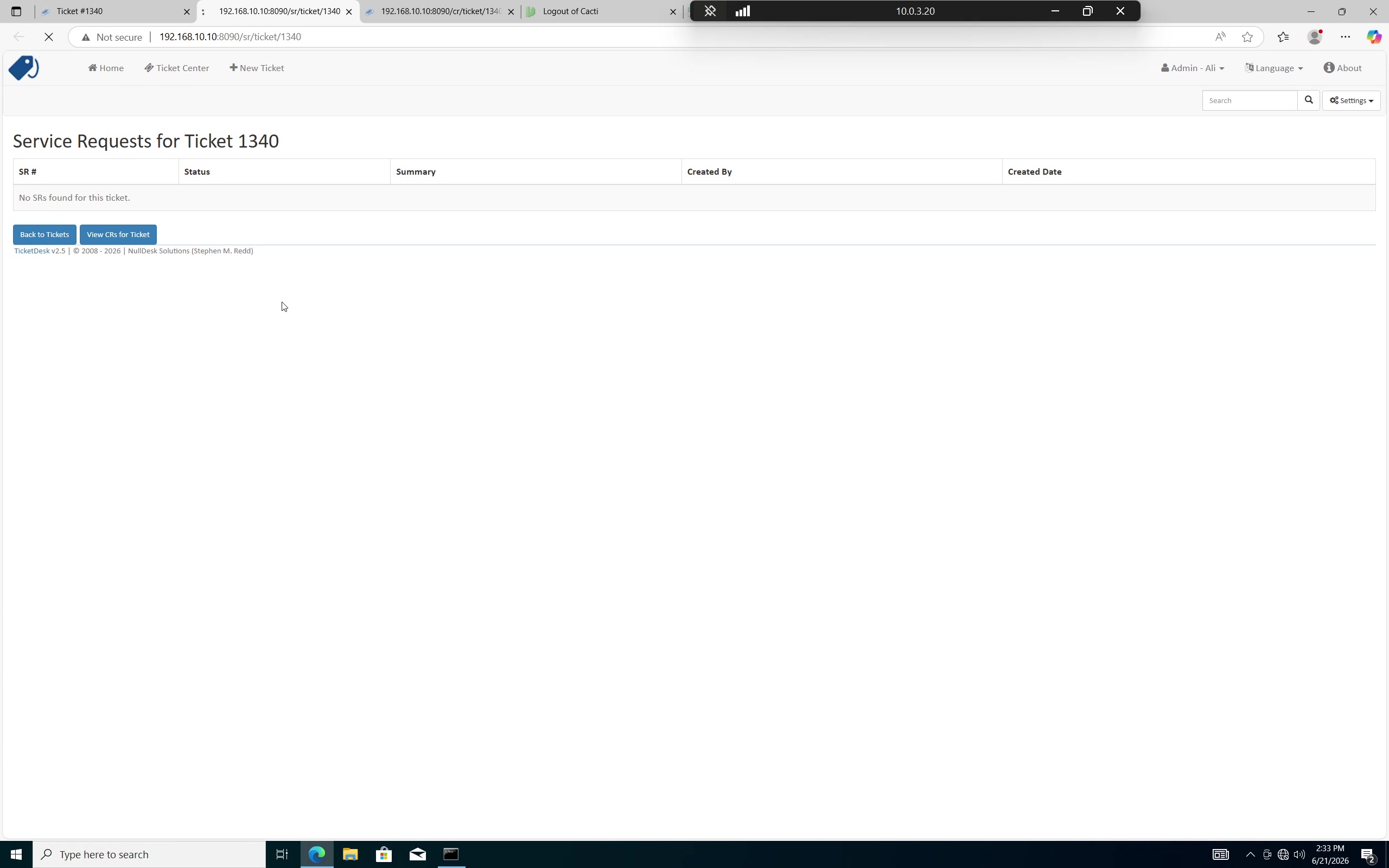
This separation matters: Smart GNOC first establishes what the problem is, then uses those findings to create the appropriate governed request.
The operational chain remains traceable from the originating incident through service request, change request, approval and execution.
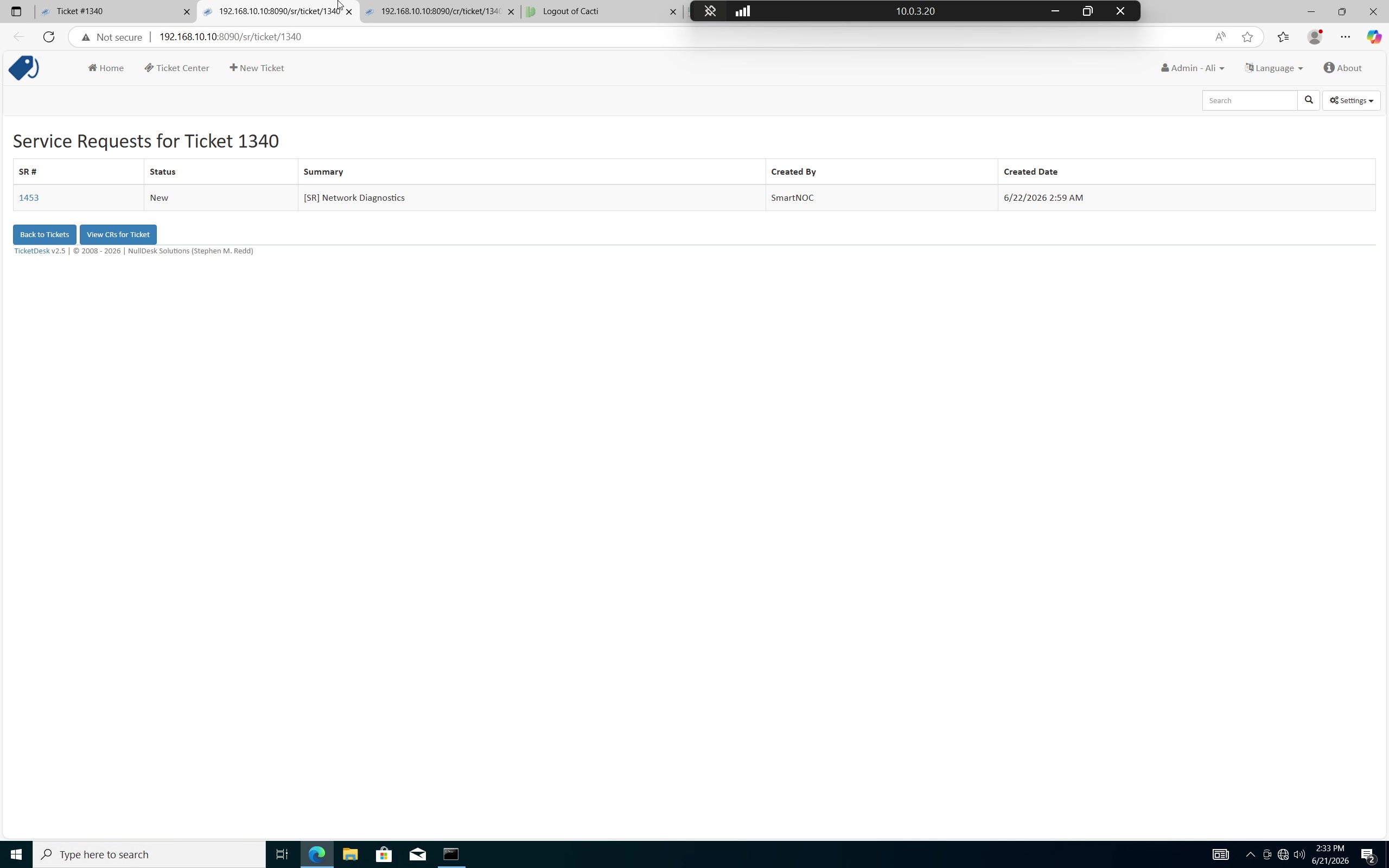
The SR is linked back to the original incident, preserving the reason, evidence and operational context that caused it to be created.
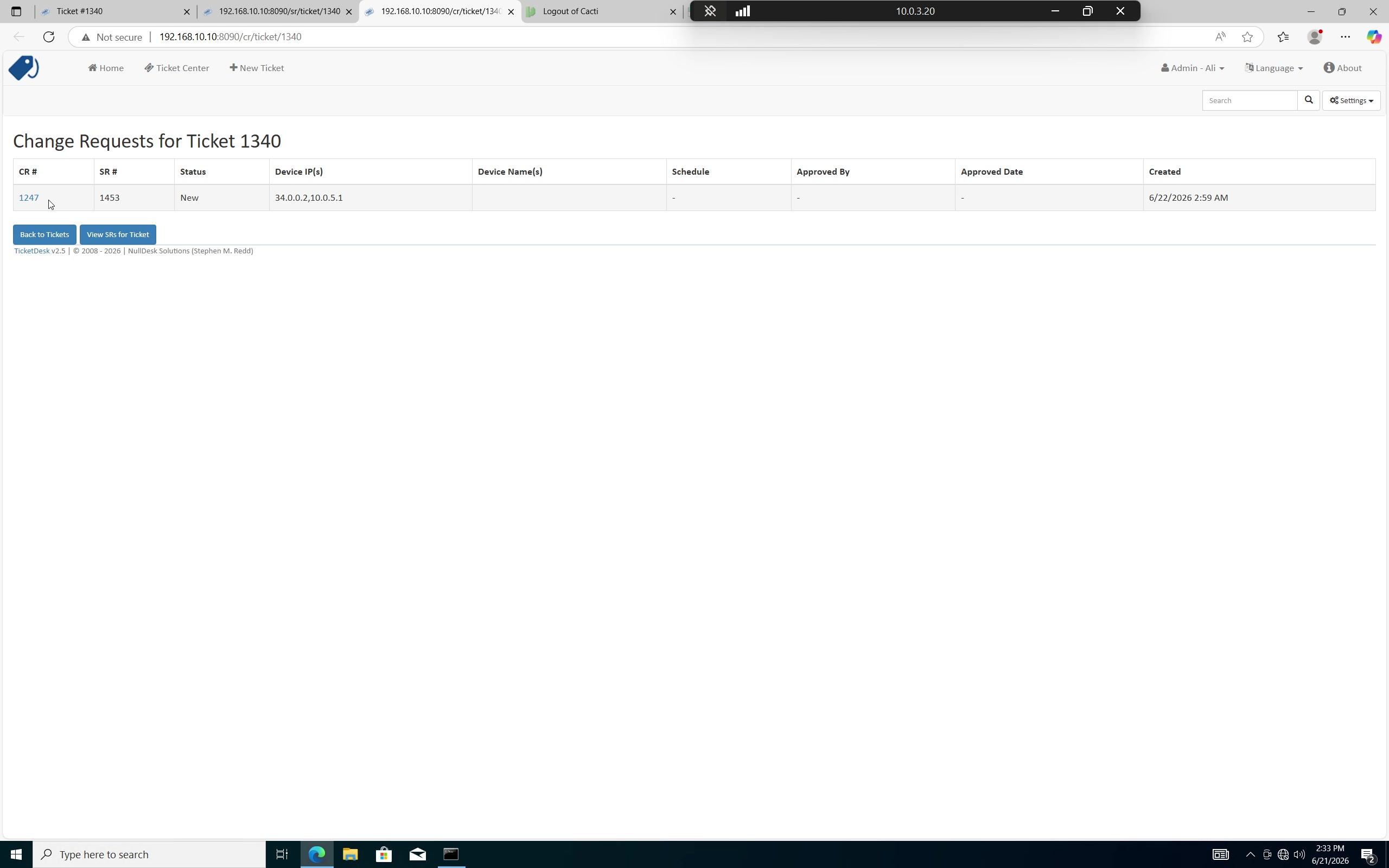
The change remains traceable to both the original incident and the SR. This prevents the technical action from becoming detached from the business/operational reason behind it.
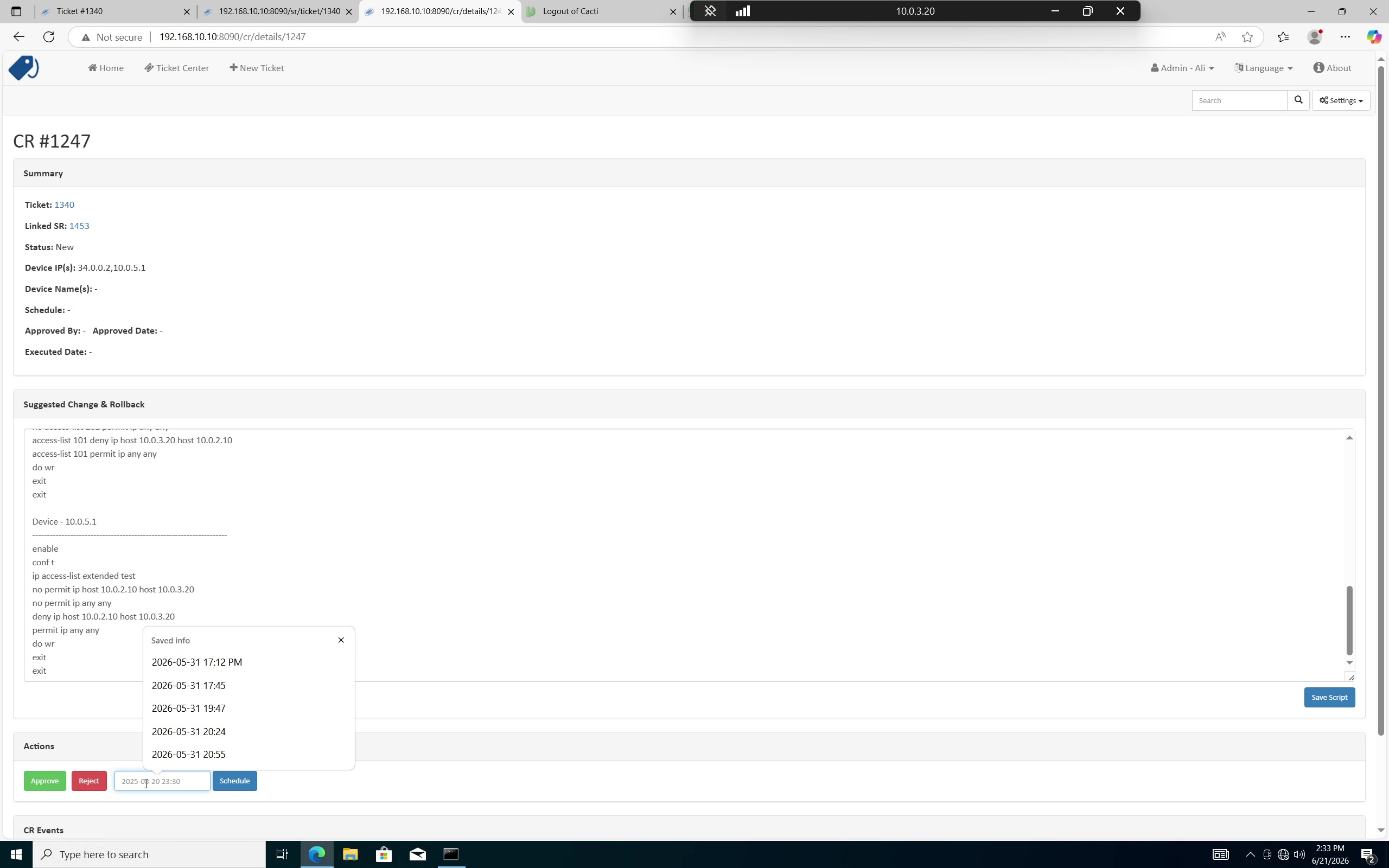
The required network change enters the review process instead of bypassing normal operational governance.
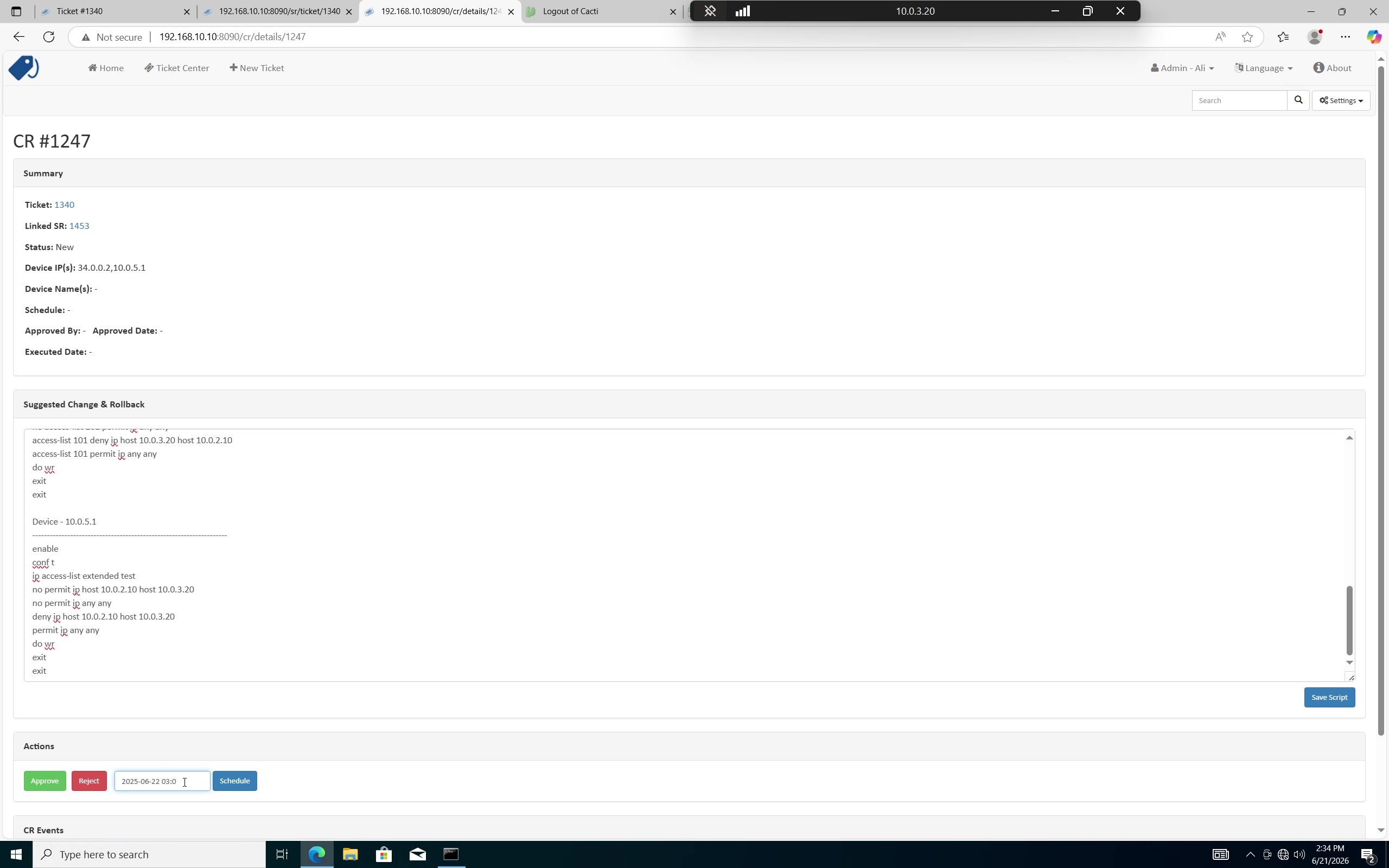
SR and CR records can be reviewed and approved before execution. Automation removes repetitive coordination without removing the control point.
Human approval remains available before execution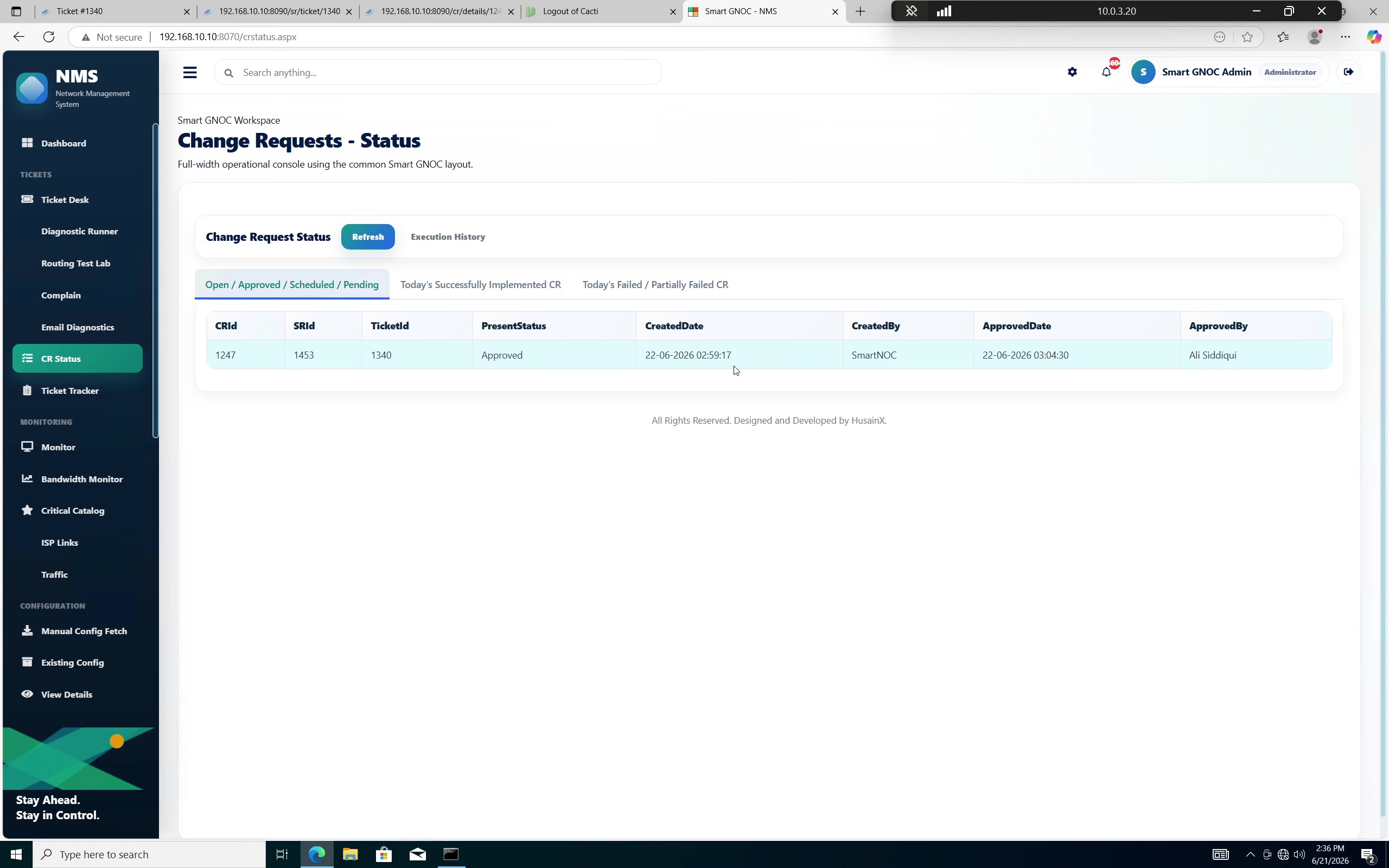
The remediation is now actionable, but it is still tied to the approved change record and the incident that triggered it.
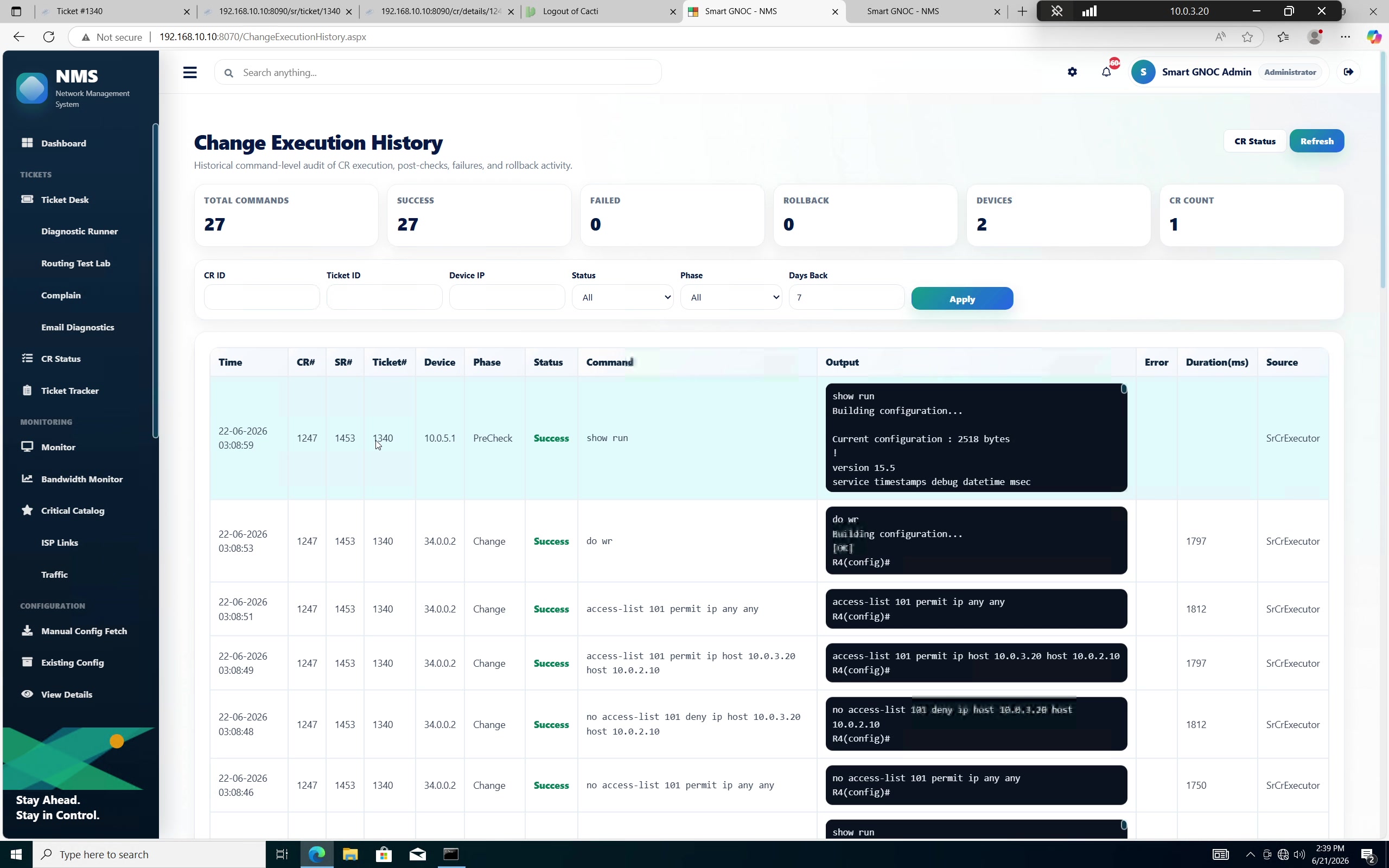
The execution history makes the change reviewable after the fact. When the investigation finds no actionable network issue, the workflow can communicate findings and hand the ticket to an engineer for deeper validation where required.
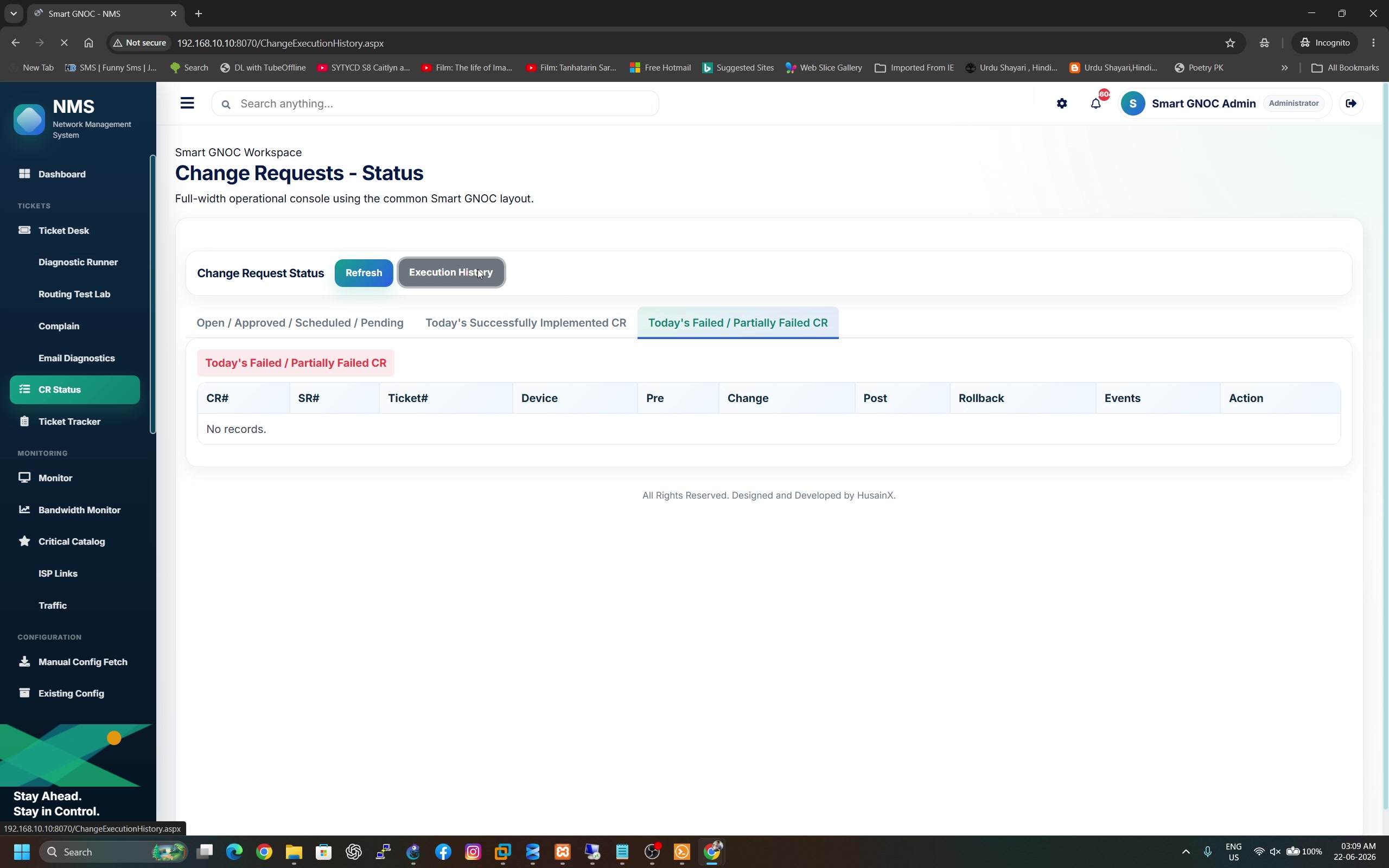
Diagnosis, approval and technical action stay attached to the same operational history instead of being spread across disconnected notes and terminals.
A utilisation alert becomes useful when the workflow identifies the high consumer, understands criticality, chooses an appropriate action and keeps all attempts under one incident.
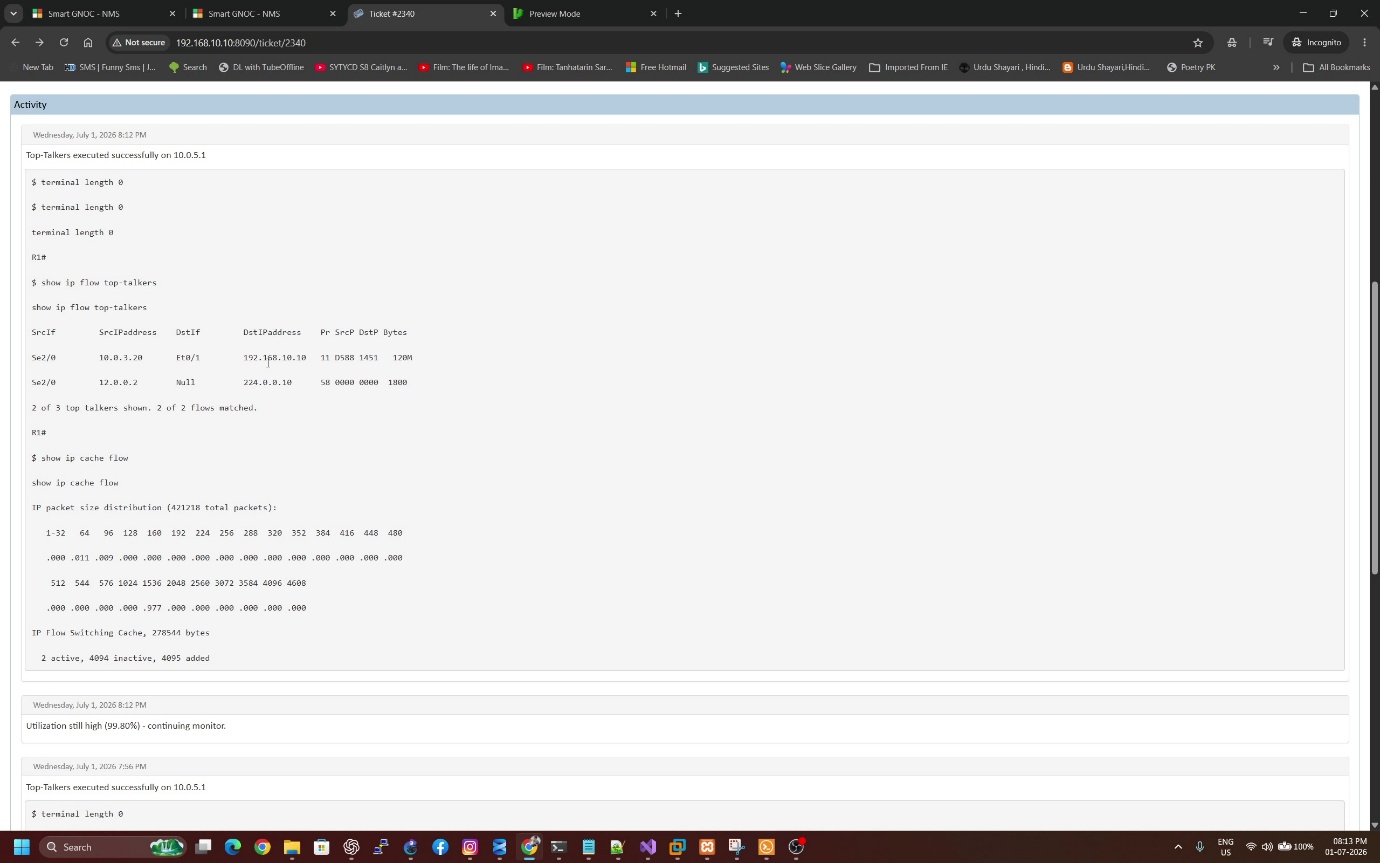
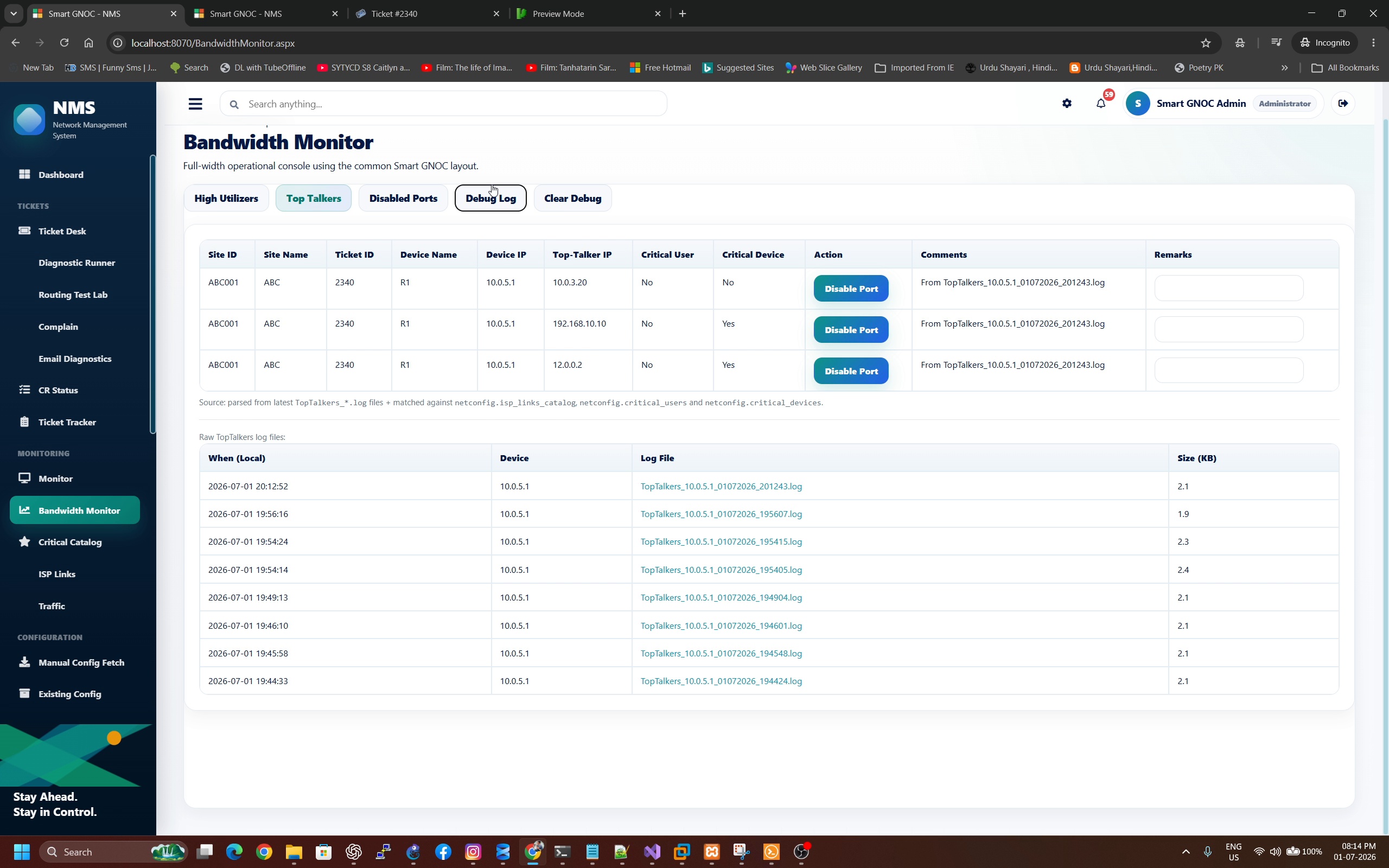
Utilisation data is captured and correlated into an understandable incident context. The ticket shows the identified consumer while Smart GNOC can classify whether the user/device is critical based on supplied business rules.
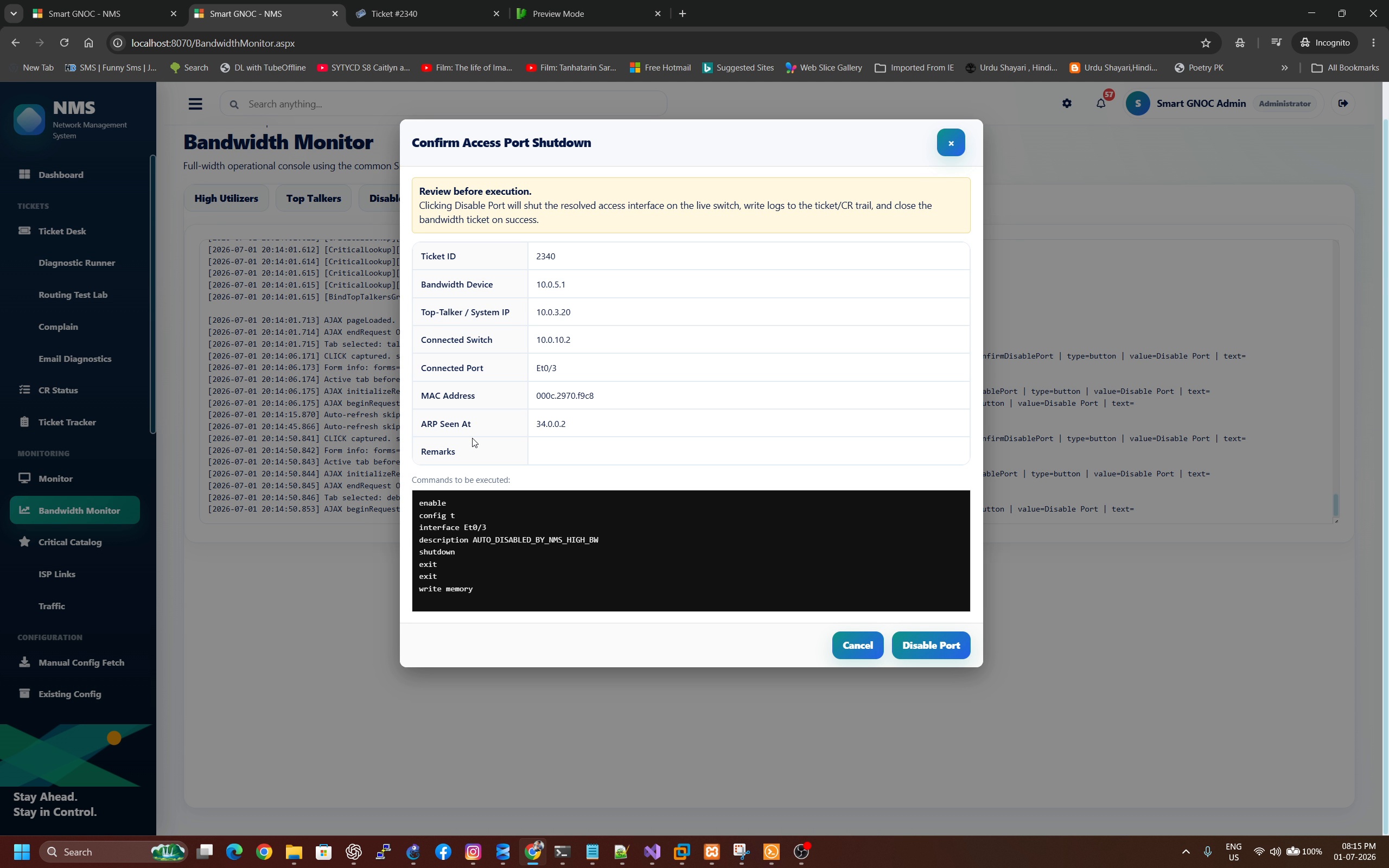
Successful actions record the result and can close the bandwidth incident. The operating model decides which actions Smart GNOC may perform automatically and which remain engineer-driven.
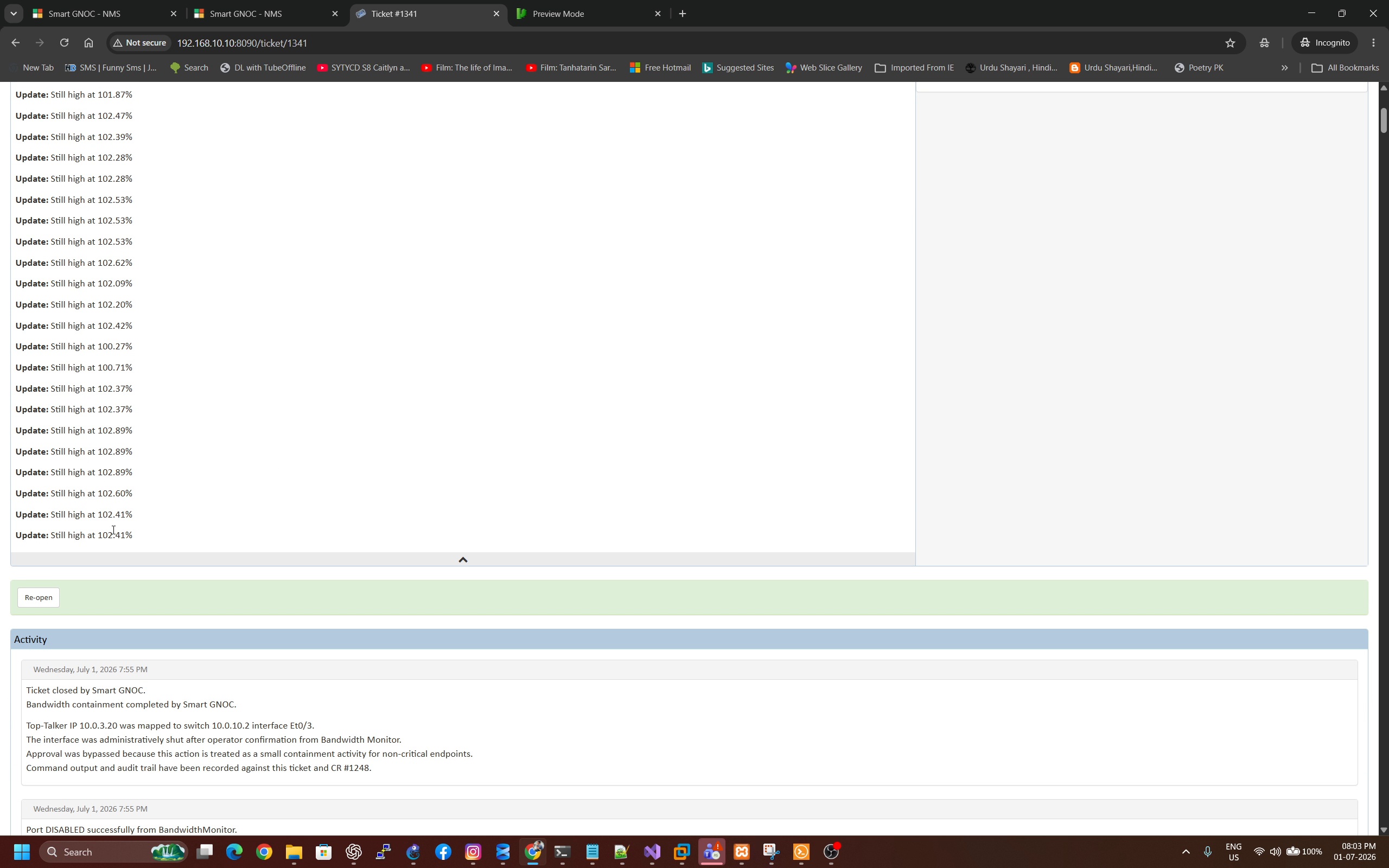
Instead of creating unnecessary new tickets for the same continuing issue, Smart GNOC can correlate subsequent detections and update the existing incident context.
Correlation reduces duplicate operational noise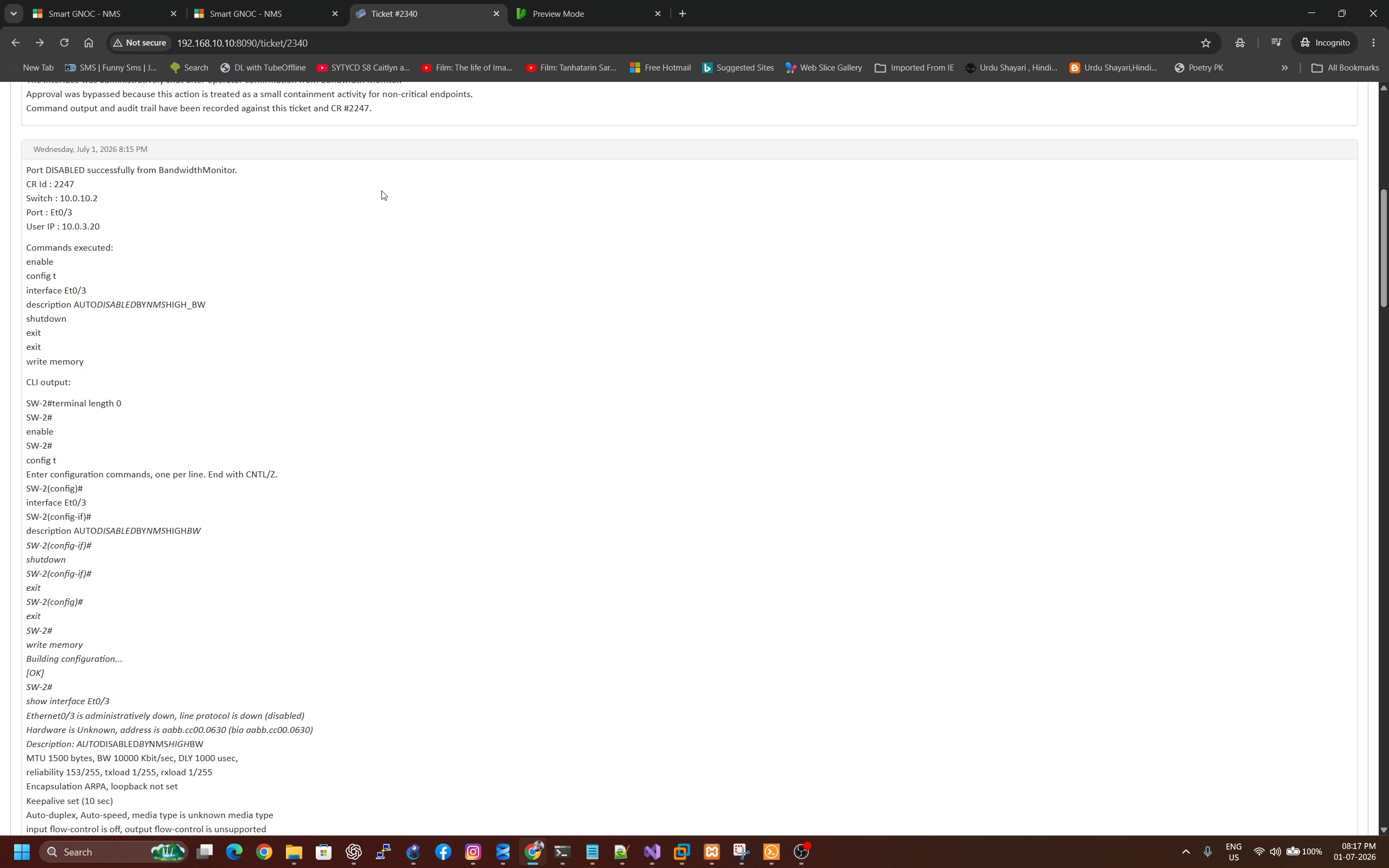
The engineer does not have to reconstruct which action was attempted later. Technical execution evidence is retained alongside the incident that required it.
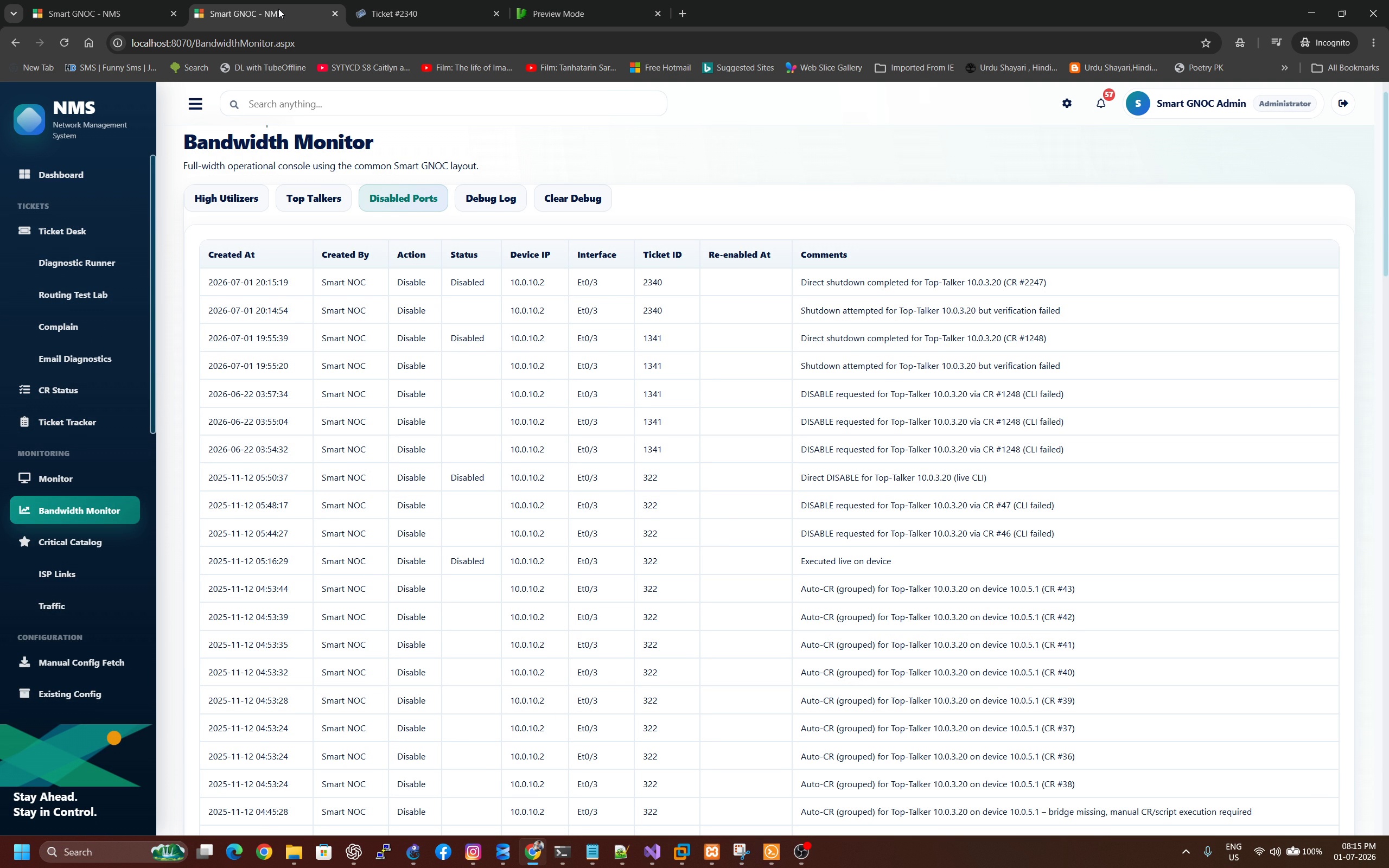
Containment is treated as an accountable operational action, not a silent command fired somewhere outside the incident process.
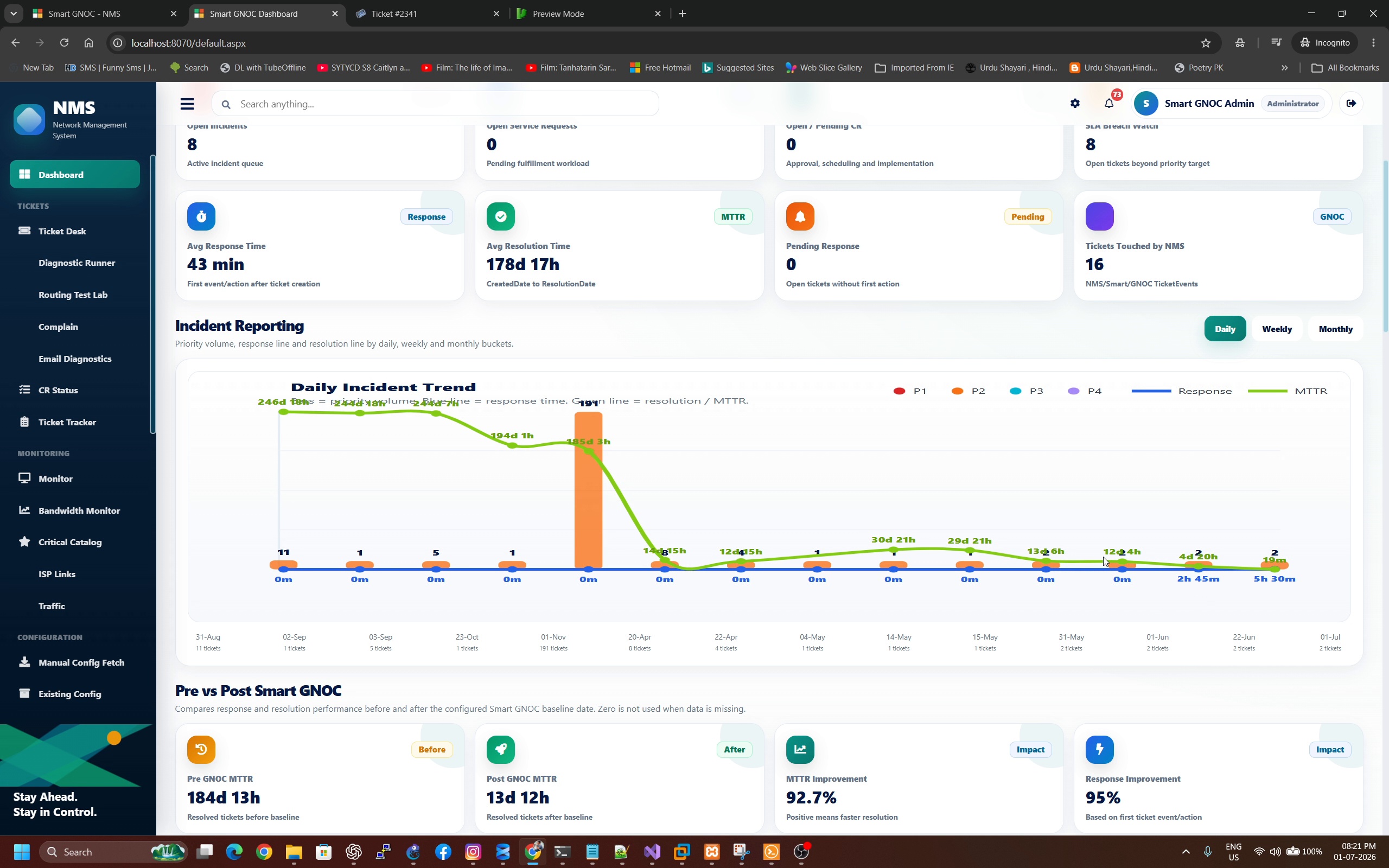
The dashboard reports operational workload, resolution and automation context so the organisation can see what changed after Smart GNOC was introduced.
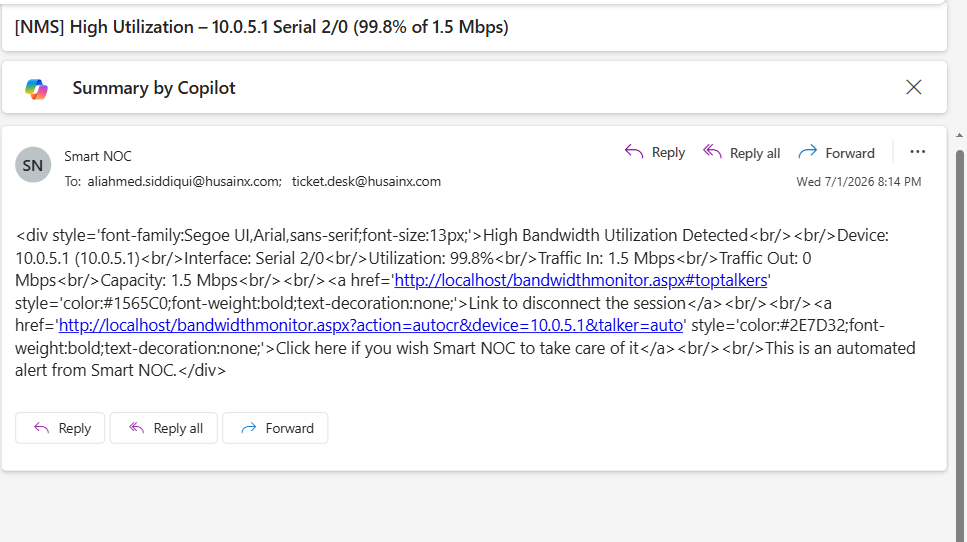
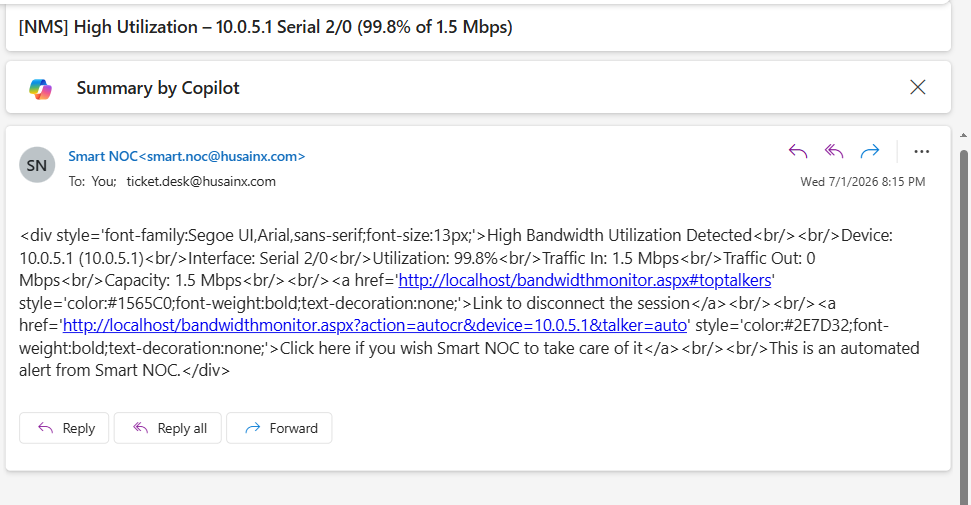
Smart GNOC can send updates, follow-ups and guided actions while keeping the communication linked to the same incident. Email presentation can be customized further for the customer’s preferred communication style.
Collect and correlate the evidence required to diagnose repeatable network issues.
Raise and follow up vendor tickets where usable APIs or integrations are available.
Keep incident, SR, CR, approval and execution in one traceable chain.
Automate repetitive coordination while retaining engineer and approval control where required.
Smart GNOC combines troubleshooting, governed remediation, vendor workflows where APIs exist, updates, follow-ups and communication while preserving traceability and human control.